

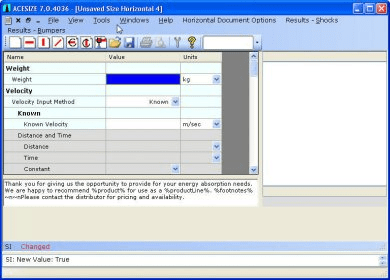
ACESIZE is a program that provides users with various operations related to energy absorbers. The program has a document-centric approach, similar to other PC software. The main menu and tool bar can be used to open or create documents, which are then displayed in the main window. Users can also access shortcut keys by holding down the Alt key, print the window with F5, save it as an image with Ctrl+F5, and find information about the current control with F6.
This is the main program window. You can use its main menu (and tool bar) to perform various operations associated with energy absorbers. The program uses a document centric approach much like other PC software. As you open or create documents they are displayed within this window. You can display the Shortcut Keys (Alt key combinations) by holding down the Alt key. You can print the window by pressing F5. You can save it as an image to a file by pressing Ctrl F5. You can determine information about the current control by pressing F6.



Comments